My website: A portfolio built with agentic AI tools
Built this portfolio as a website with agentic AI tools, using Codex, Claude, ChatGPT, Git, and Vercel instead of a no-code website builder.
Published June 2026
Built by Prompting, Not by Coding
This is the story of how the site you're looking at right now was built — almost entirely through AI, with a lot of iteration, a lot of trial and error, and no traditional coding from me.
I'm a Product person, not a frontend developer. I didn't sit down with deep React knowledge, a polished design system, or a drawer full of clever prompt-engineering tricks. What I had was a goal, a domain, a bit of knowldeg on git, and a willingness to keep describing what I wanted until the agents could turn it into something real.
The loop, in principle, was simple:
talk to the AI → inspect the result → explain what's wrong → tighten the instructions → try again.
In practice, it was messier — but it worked.
- Codex did most of the actual building
- Claude helped with structure, engineering rules, and problem framing
- GPT Image helped with design exploration and clearer instructions
Why I Built It This Way
I wanted an online portfolio. The practical route would've been to test a few off-the-shelf website builders, pick a template, and move on.
I chose this route on purpose: the portfolio itself could become a product-building exercise. I wanted hands-on experience with agentic coding platforms like Claude Code and Codex, to understand what it actually feels like to turn a product idea into a shipped interface, when the person driving the work isn't the person writing most of the code.
That became the core experiment:
Could I build a polished personal site without knowing frontend development deeply?
The answer was yes — but not because the AI magically guessed everything. It worked because I treated the agents less like search boxes and more like collaborators who needed context, constraints, feedback, and QA rules.
How It Came Together
Version zero: just deploying
The first version was intentionally a place holder. Before thinking about design, content, or case studies, I only wanted to answer one question: does the domain and deployment actually work? So I built a bare placeholder page and used it to test the basics — the site existed, the domain resolved, and Vercel could deploy it.
Design, before a single line of code
Once the pipeline was alive, I moved to design exploration — using ChatGPT to generate and compare several visual directions before touching the real build. The goal wasn't decoration; it was avoiding two traps at once: I didn't want the site to look like yet another AI-built website, and I didn't want designing to become the bottleneck that stalled the whole project.
I tested multiple image and layout concepts, compared them, and kept narrowing the direction. Over time I wrote down the style and feeling I wanted — clean, user-friendly, polished, restrained, with enough depth to feel intentional. That write-up became the foundation document for the project.
I then turned that same foundation into something the agents could actually use:
- Wrote design documents describing the visual direction
- Built a custom GPT, fed with the foundation doc and site description, whose only job was generating and comparing design alternatives — so I could pick the direction that fit best before asking a coding agent to build anything
That was the important shift: I stopped asking AI for "a nice website" and started building a small operating system around the work — vision, design foundation, engineering rules, review criteria.
Giving the agents a rulebook
I used Claude and ChatGPT to think through the overall structure and tech stack. The site became a Next.js, deployed through Vercel, with project pages stored as MDX and a small set of rules for how agents should behave inside the repo.
One of the first concrete artifacts was an AGENTS.md file — instructions telling the coding agent:
- How to understand the project
- What to read before making changes
- What not to touch
- How branches should work
- How visual QA should happen
- What the site is actually trying to communicate
I also created a README and additional engineering-rule documents with Claude's help.
That documentation ended up mattering more than I expected. Whenever agent behavior wasn't quite right later in the build, the fix was usually to update the instructions directly with the agent — not to fight the output by hand. For example, visual QA wasn't good enough when the agent just changed code and described the result in words. I needed it to take screenshots, compare the live UI against the requested look, and keep iterating until the visual result actually converged. I explained that once — and the agent went and implemented the QA rule into the project guidance itself.
Building in small, ordered pieces
I never asked for the whole website at once. It went up in this order:
- Home page — skills, title, background
- Projects section
- Recent projects, added on top
- LinkedIn recommendations section
- Contact section
The workflow repeated for each piece: describe the intent to ChatGPT first to land the design direction, then — once it felt right — attach the relevant documents and hand the work to the coding agent to build.
This mattered because the hard part was rarely "write this exact code." The hard part was deciding what a section should do, how it should feel, and what would make a recruiter understand the value in five seconds.
Debugging like a PM, not a developer
When something broke, I debugged with AI too:
- Sometimes I just described the issue in plain language
- When I couldn't explain the problem clearly enough, I'd loop in Claude first just to help me articulate it — then hand that back to Codex
- For bigger changes, I'd ask AI to walk me through the code, explain what it was doing, and I'd figure out what to change. Then I'd ask the agent to make the change, and check the result.
What I Learned
Small pieces beat big prompts. Asking an agent to build an entire polished site at once creates too much room for drift. Breaking the work into sections made the output easier to judge, easier to correct, and easier to improve.
Git and branching changed how I worked. I could try things without fearing I'd lose an earlier working version. That made experimentation cheap — if a visual direction failed, it wasn't a disaster, just another branch or another iteration.
AGENTS.md became one of the most important files in the project. The quality of the agent's work improved the moment I stopped assuming it would infer my standards and started writing those standards down. The more explicit the guidance, the less I had to repeat myself.
"Non-technical" doesn't mean passive. I couldn't always fix the code myself, but I could still step in and redirect the work — saying what looked wrong, what felt off, what behavior was broken, and what outcome I wanted instead. Screenshots helped. Clear constraints helped even more.
Other Projects
View all →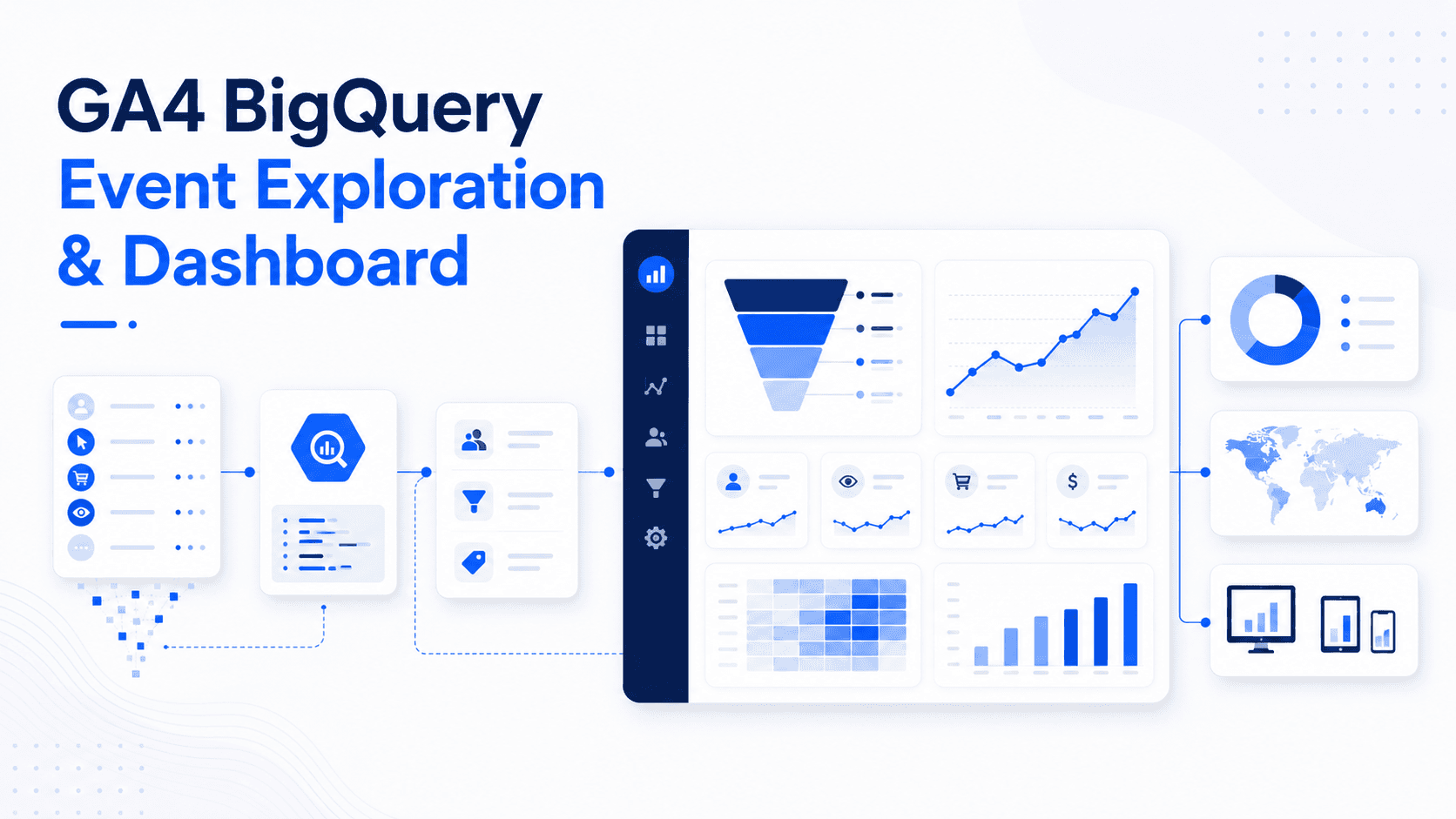
GA4 BigQuery Event Exploration & Dashboard
A GA4 ecommerce analytics project using BigQuery SQL, lightweight staging and mart tables, and Looker Studio to explore acquisition, engagement, and the purchase funnel.
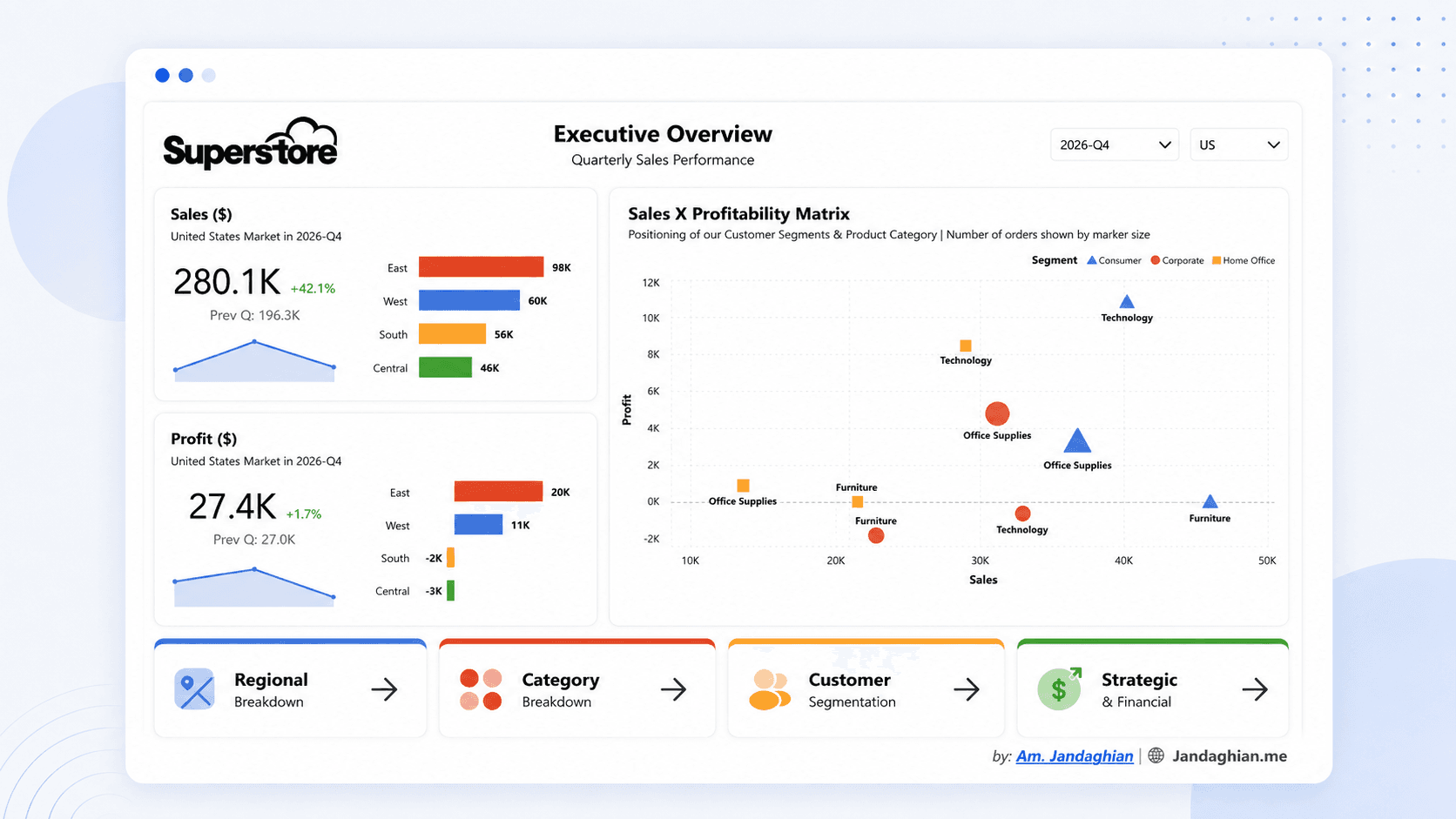
Superstore Sales Performance Dashboard
Built an executive Power BI dashboard on the Superstore dataset for quarterly sales, regional performance, categories, and customer segments.
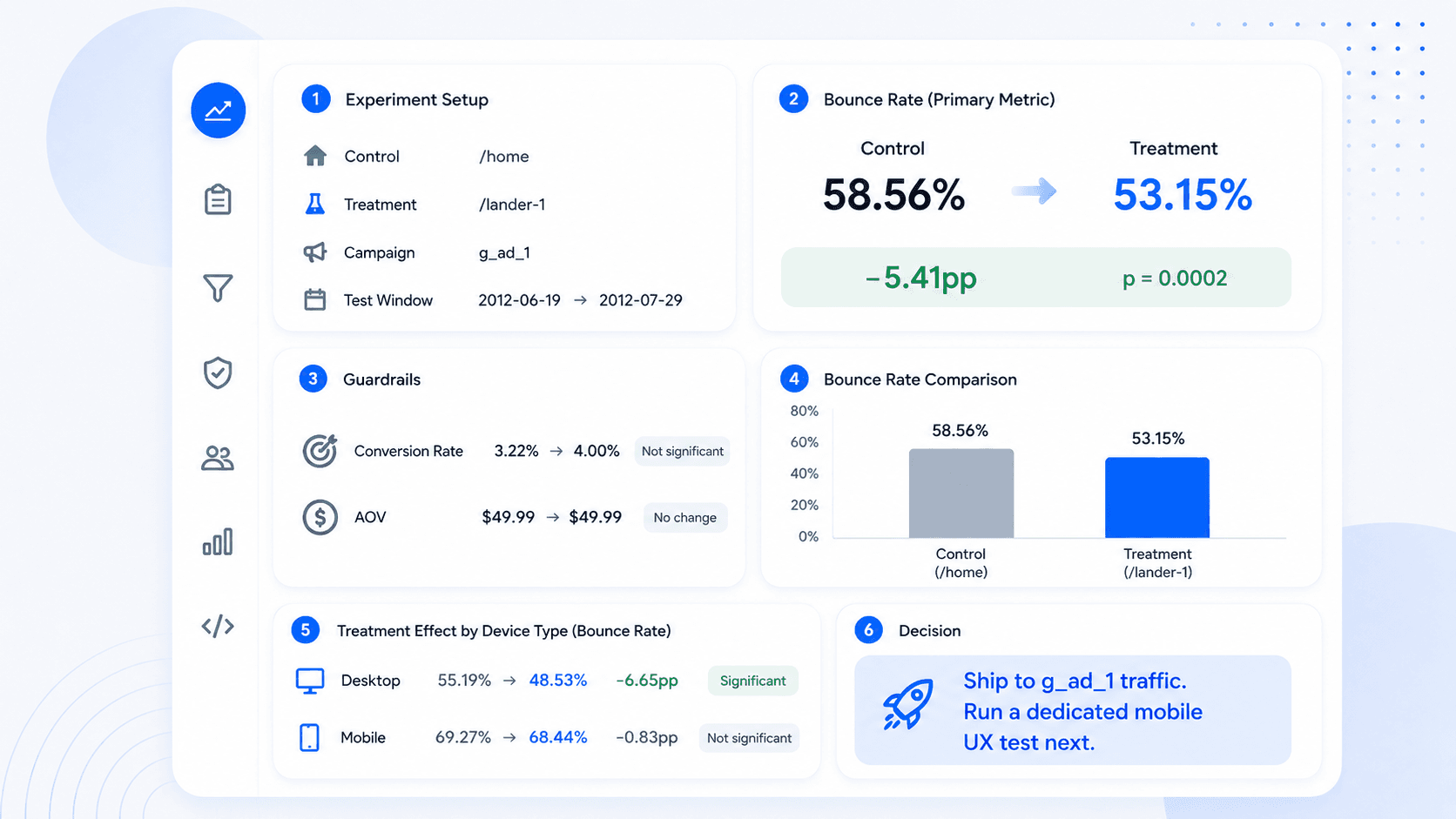
Maven Landing Page A/B Test Analysis
Analyzed a landing page experiment with traffic filtering, bounce-rate testing, guardrails, and treatment-effect cuts.
CONTACT
Want to compare notes on a project?
I'm always up for a sharp data or product conversation.
Get in touch